


Back to article
3339
Wearing and adjusting your earbuds
Proper fit is important for product comfort and performance. Get tips on how to properly fit and adjust your earbuds.
Wearing your earbuds.
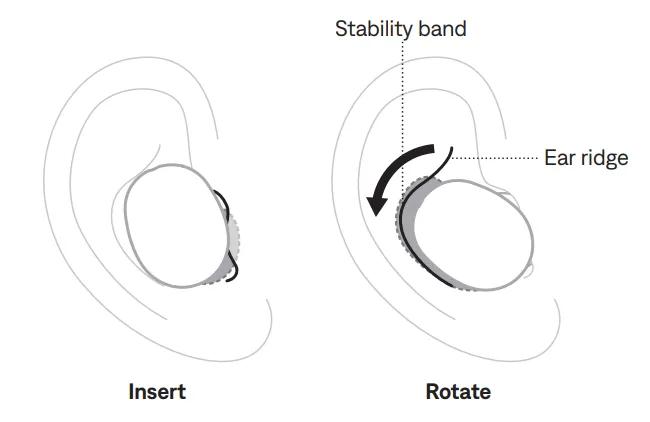
- Insert the earbud so the eartip gently rests at the opening of your ear canal.
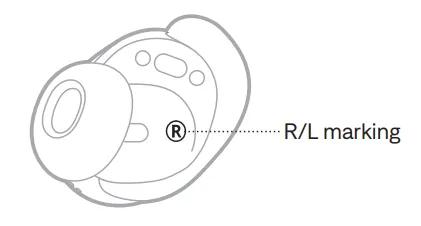
Each earbud is marked with either an R (right) or L (left).
- Slightly rotate the earbud back until the eartip creates a comfortable seal at your ear canal and the stability band rests against your ear ridge.
You may need to rotate the earbud back and forth for the eartip to create a comfortable seal. However, rotating it too far back or forward may impact audio and microphone sound quality. - Check the fit.
- Repeat steps 1 – 3 to insert the other earbud.
Try other size eartips and/or stability band sizes.
Wear the earbuds for an extended period of time. If the earbuds don’t feel comfortable or secure, or noise cancellation or sound quality isn’t as expected, try another size eartip or stability band. You may need to try all three eartip or stability band sizes, or use a different size eartip or band for each ear.
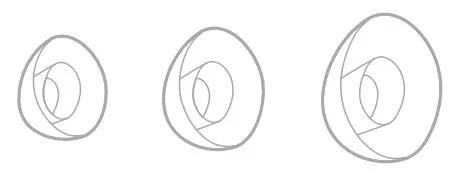
Eartips - The eartips come in small, medium, and large. Medium eartips come attached to the earbuds. If they feel too small, try large eartips. If they feel too big, try small eartips.
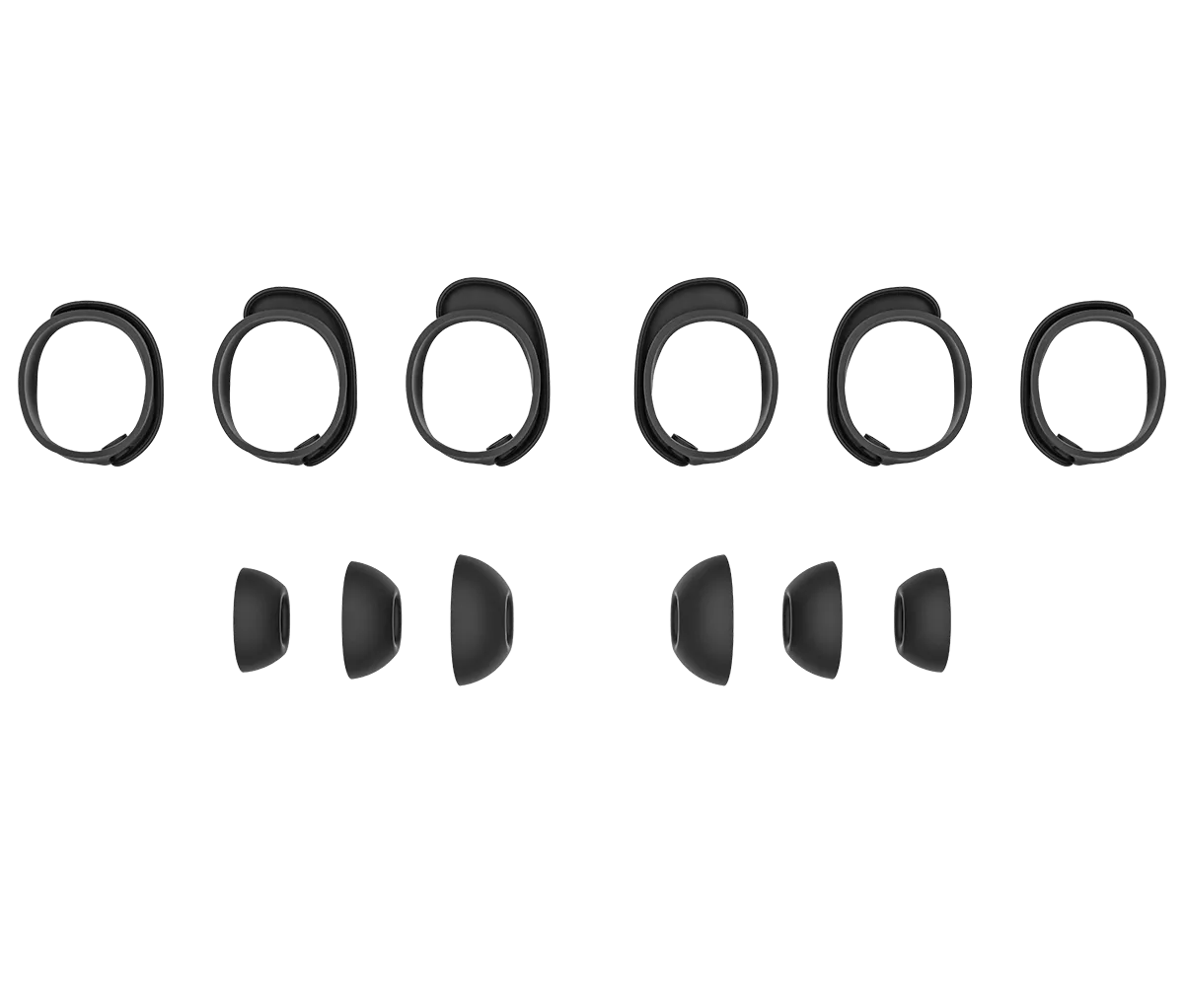
Stability bands - The stability bands are marked with size 1 (small), 2 (medium), or 3 (large) and an R (right) or L (left). Size 1 bands come attached to the earbuds. If they feel too small, try size 2 bands.
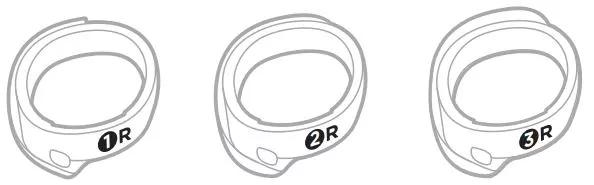
Eartips - The eartips come in small, medium, and large. Medium eartips come attached to the earbuds. If they feel too small, try large eartips. If they feel too big, try small eartips.
Stability bands - The stability bands are marked with size 1 (small), 2 (medium), or 3 (large) and an R (right) or L (left). Size 1 bands come attached to the earbuds. If they feel too small, try size 2 bands.
Make sure the earbuds are oriented correctly for the best microphone performance.
Proper fit is important for product comfort and performance. If the earbuds do not fit properly or the orientation is incorrect it could lead to poor audio or mic performance.
Earbud Orientation
| Good - Logo pointed toward mouth/chin | 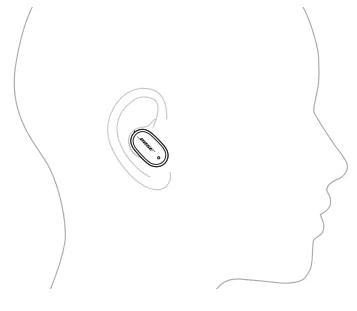 |
| Okay - More vertical ... logo pointed down toward lower neck | 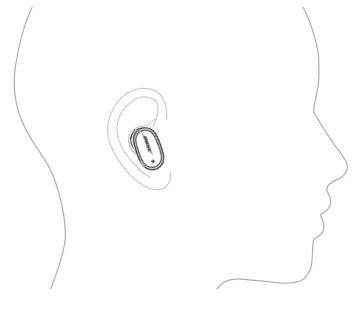 |
| Poor - More horizontal ... logo pointed toward bridge of nose | 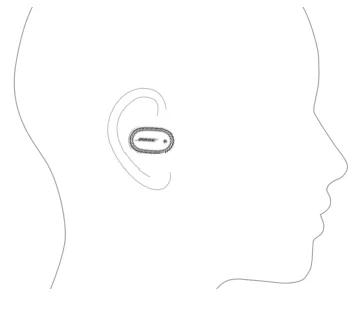 |
| Bad - More than horizontal ... logo pointed toward eyes | 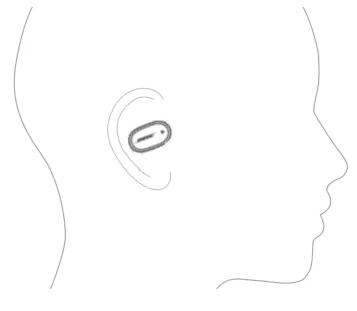 |
See Wearing and adjusting your earbuds for additional details.
Was this article helpful?
Thank you for your feedback!